Get the latest Redstor Pro installers from the Downloads section.
Enterprise Server Edition
-
You can now perform Full System Recovery to Azure on Red Hat Enterprise Linux 7 and CentOS 7.
- See Article 1224 for requirements, instructions and more.
Storage Platform Console
-
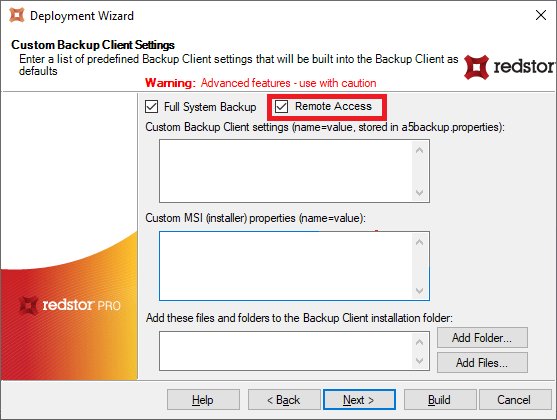
The option to enable remote access has been added in the ESE deployment wizard.
-
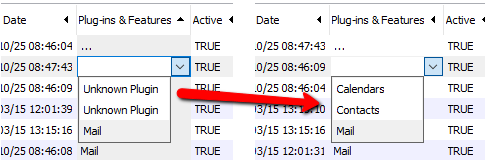
The Plug-ins & Features column in the Storage Platform Console has been improved to list the correct details for Cloud to Cloud accounts that are backing up Contacts and Calendars.
InstantData
-
The command-line argument for InstantDataFSR.exe has been extended to include Azure as a target. For more information, see Article 1184.
-
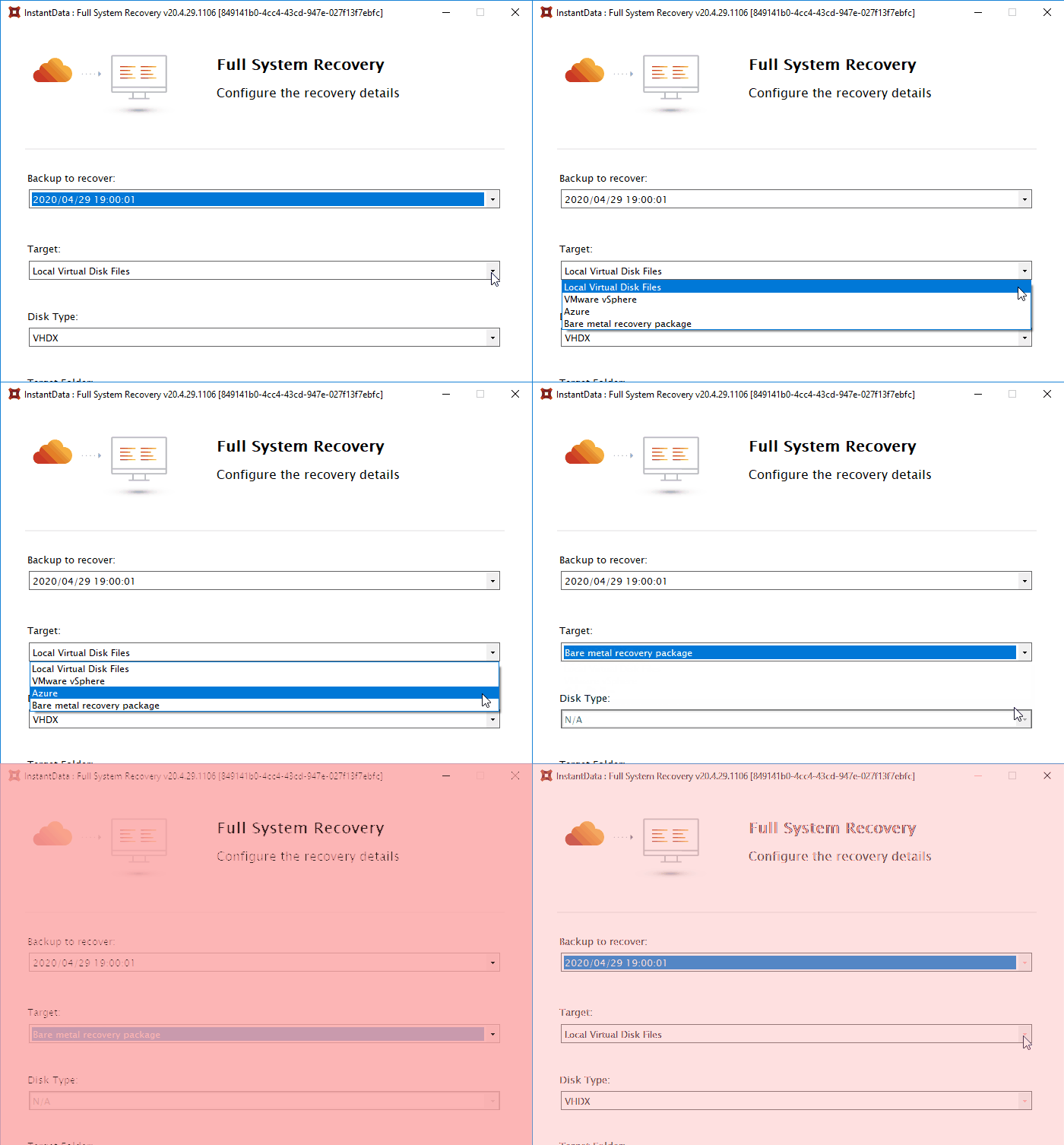
Bare Metal Recovery has been removed from InstantData > Share and InstantData > Open and is now included as a target option in the FSR user interface.
- This gives you more flexibility when recovering, for example to configure volume sizes.
- It also simplifies the BMR process by including all relevant information in a script so you don't need to manually add everything at the command prompt. For more information, see Article 1279.
?
Resolved Issues
| Storage Platform Console | |
|---|---|
| Bug | Description |
| 30579 | Disable filter option in account view for non-admin user |
| ESE Agent | |
| Bug | Description |
| 32562 | Error "Skipping attributes for ..." logged for all files on ??? filesystem on Linux |
| 32388 | Backup fails with error "Backup failed: key (SYMLINK_MARKER) not found in extra map cache" |
Was this article helpful?
That’s Great!
Thank you for your feedback
Sorry! We couldn't be helpful
Thank you for your feedback
Feedback sent
We appreciate your effort and will try to fix the article